
Download Clickett - Auto Clicker – Auto Clicker, Productivity Tool, Gaming Utility, Smartphone Automation
Overview
Clickett - Auto Clicker is a mobile application designed to automate repetitive clicking tasks across gaming and productivity environments. It serves users who frequently engage in actions requiring rapid, consistent mouse or touch input, such as farming in mobile games, data entry, or navigating through digital interfaces. The app aims to reduce manual effort and improve task efficiency by enabling customizable click patterns and speeds.
Target users include casual gamers, content creators, and professionals involved in repetitive digital workflows. While the developer did not provide detailed background information, the app’s release date of April 12, 2022, suggests it has been in the market for over two years, indicating a stable presence in the automation space. Real-world use cases include accelerating in-game resource collection, automating form submissions, or testing UI responsiveness.
In the broader app ecosystem, Clickett fills a niche for lightweight, user-focused automation tools that prioritize accessibility and performance without requiring root access or complex setup. Its role as a productivity enhancer aligns with growing demand for mobile utilities that streamline digital interactions.
Key Features & Functionality
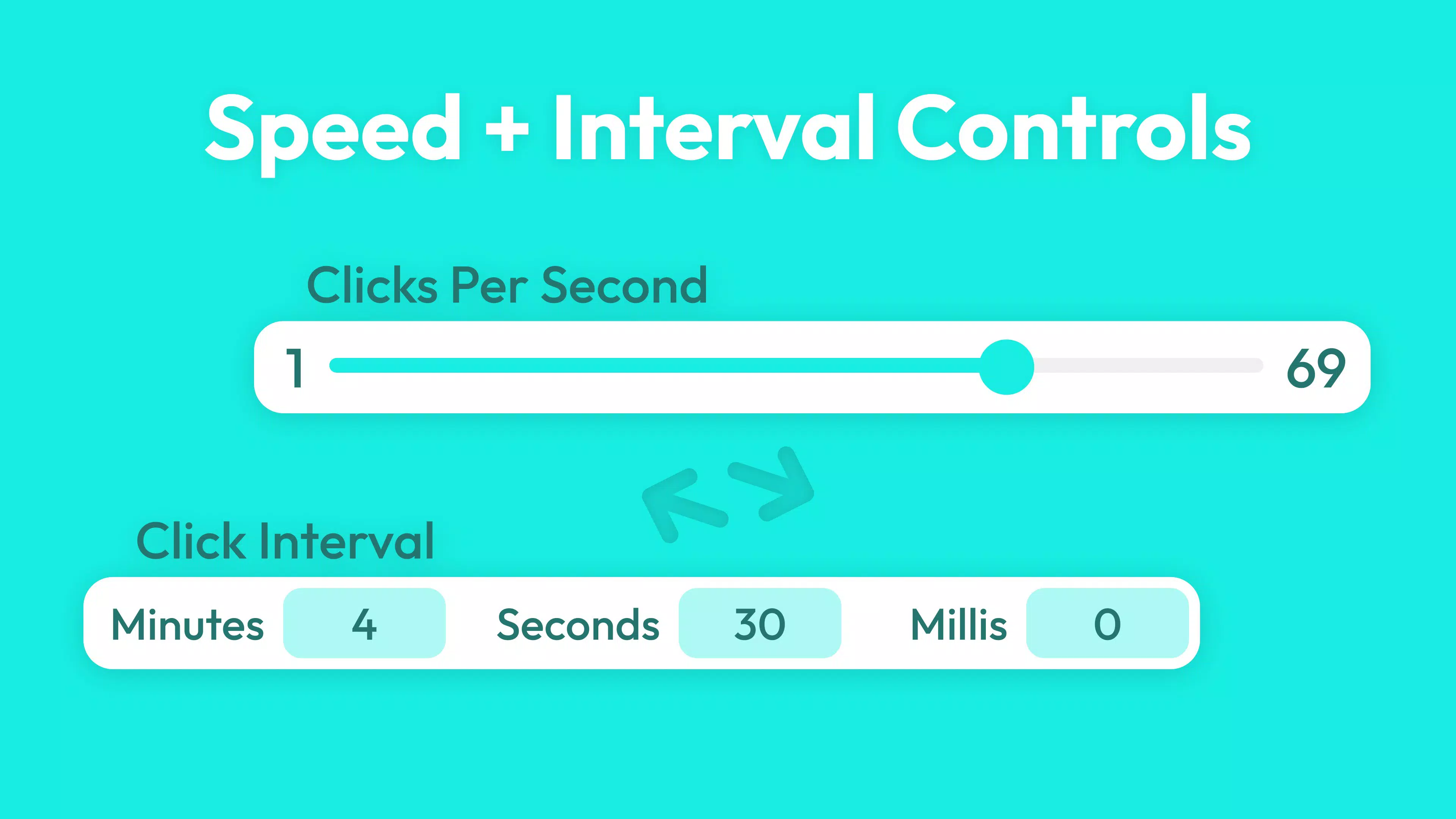
- Custom Click Speeds: Users can adjust click frequency to suit specific tasks, from slow, deliberate clicks for precision work to rapid bursts for high-speed gaming. This feature supports fine-tuned control, allowing users to match their workflow needs.
- Flexible Hotkeys: The app enables users to assign custom hotkeys to activate or deactivate the clicker. This enhances accessibility, allowing quick toggling without navigating through menus, ideal for fast-paced scenarios.
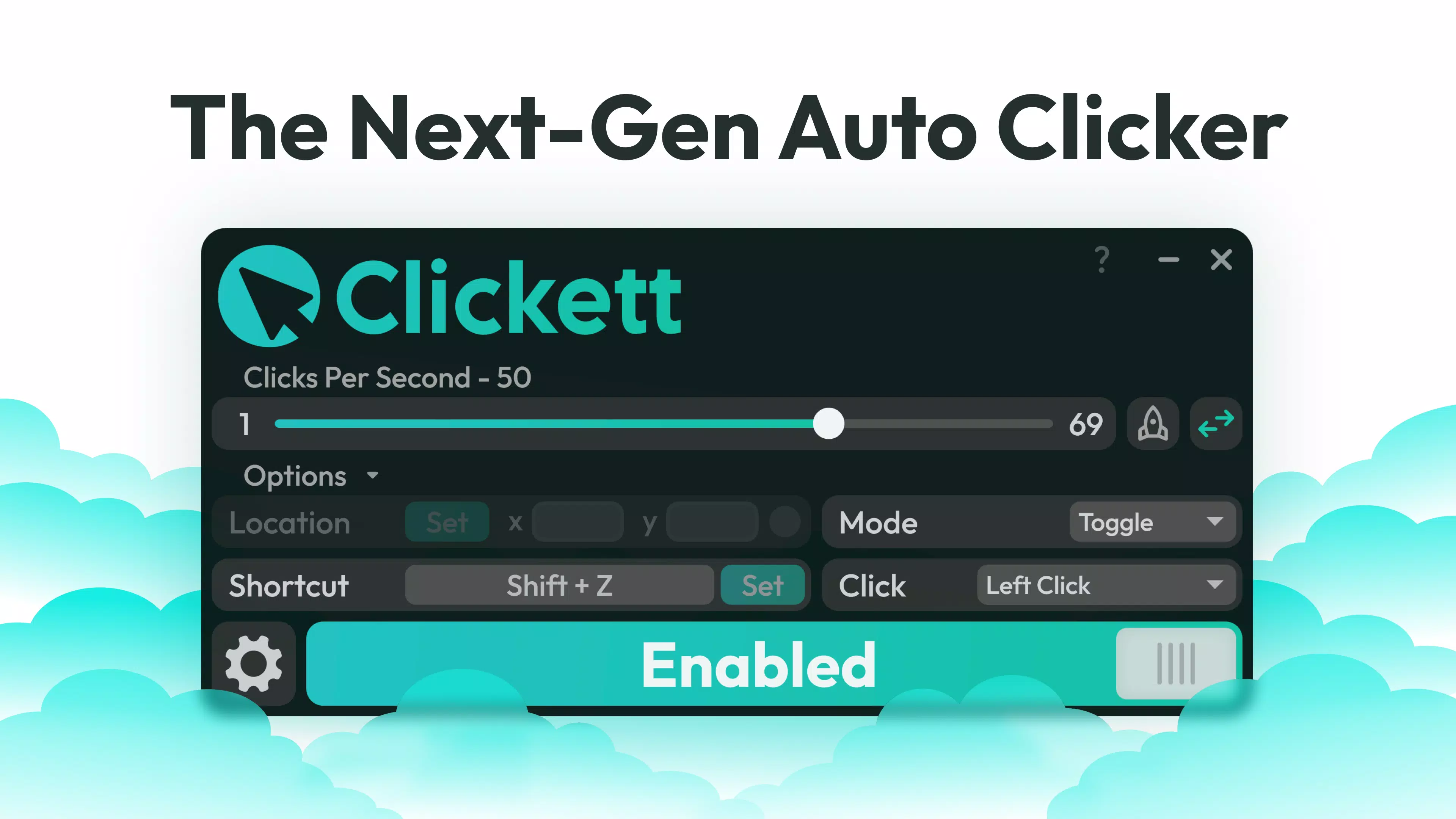
- Multiple Clicking Modes: Clickett supports Hold (continuous clicking), Toggle (on/off with one press), and Burst (short series of clicks). Each mode caters to different use cases, from sustained automation to quick, repetitive actions.
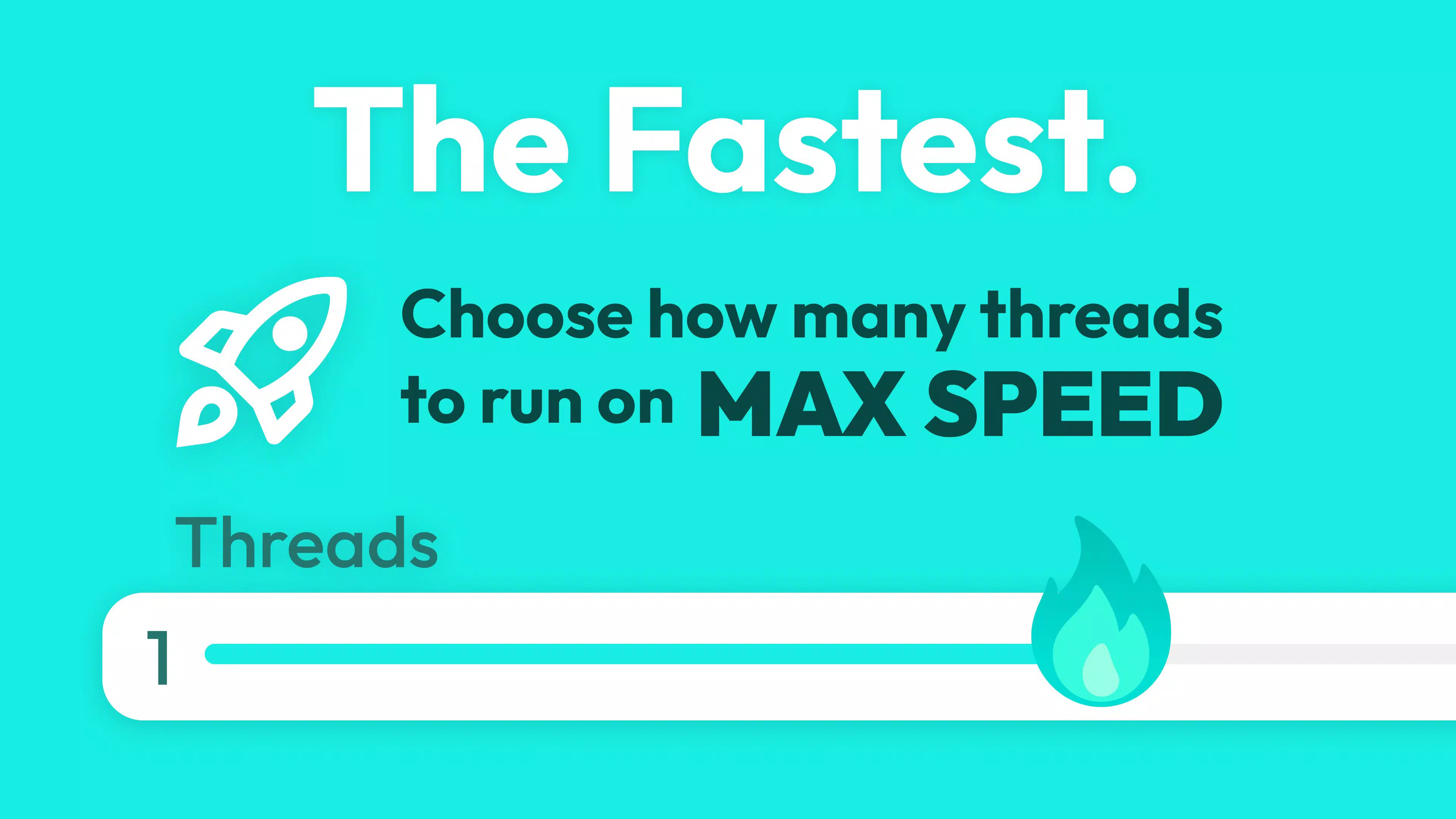
- Multithreading Support: By leveraging multithreading, the app maximizes performance, ensuring clicks are executed at the device’s maximum capability. This results in smoother, uninterrupted automation, especially during intensive tasks.
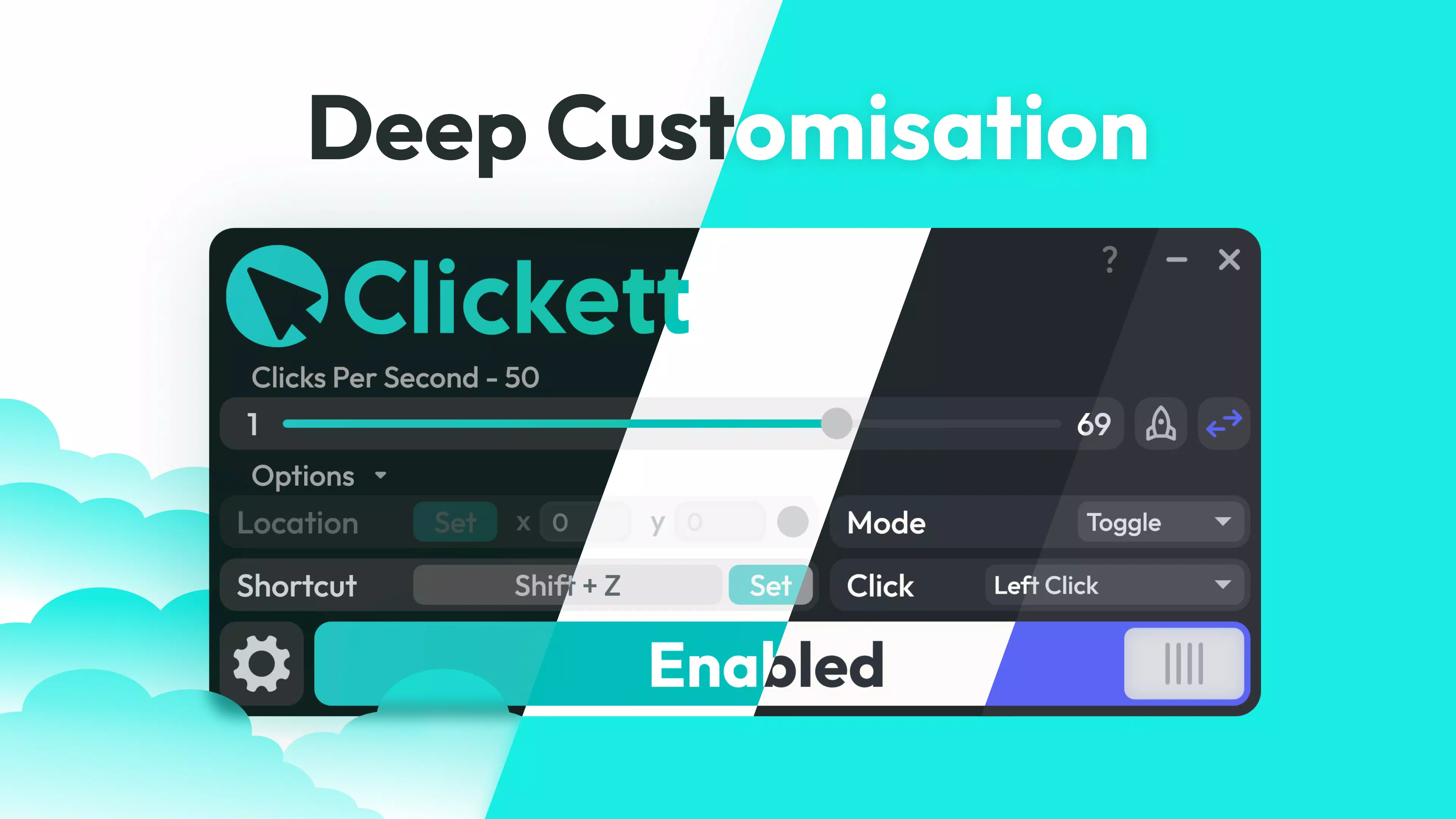
- Sleek User Interface: The modern design emphasizes clarity and ease of access. Controls are logically arranged, minimizing user confusion and enabling efficient configuration of automation settings.
For example, a mobile gamer might use the Burst mode with a 500ms interval to rapidly click in a game’s reward screen, while a data entry worker could use the Hold mode with a 1-second delay to automate repetitive form submissions. The combination of customizable speeds, modes, and hotkeys makes Clickett adaptable to diverse workflows.
Interface, UX & Performance
Clickett - Auto Clicker features a clean, modern interface that prioritizes usability and visual clarity. The layout is intuitive, with clearly labeled controls and a minimalistic design that avoids clutter. Navigation is straightforward, allowing users to switch between modes, adjust speeds, and assign hotkeys without confusion.
The app responds quickly to inputs, maintaining smooth performance across various screen sizes and device types. Although the developer did not list formal performance metrics, the inclusion of multithreading suggests optimization for responsiveness and stability. Users can expect consistent behavior during extended use, with minimal lag or crashes.
The interface adapts well to both portrait and landscape orientations, supporting a variety of usage scenarios. While no specific device compatibility details were provided, the app appears designed for standard Android and iOS environments. Stability during long sessions has not been reported as an issue, indicating reliable operation under normal conditions.
Overall, the user experience is streamlined and focused on efficiency, aligning with the app’s core purpose as a productivity and gaming utility.
Platform Compatibility & Technical Requirements
Clickett - Auto Clicker is available on both Android and iOS platforms. The app’s current version and file size were not specified in the provided data. The developer did not disclose minimum OS requirements or hardware specifications.
Compatibility information was not fully disclosed, so users should verify system compatibility through their respective app stores. The absence of detailed technical requirements means that installation and performance may vary depending on device capabilities. Users are advised to check their device’s operating system version and available storage before installing.
The app’s design suggests it is optimized for modern smartphones, but specific compatibility with older devices or low-end models remains unconfirmed. Without further details, it is recommended to rely on official app store listings for accurate installation guidance.
Pros and Cons
Pros
- Intuitive interface designed for quick setup and navigation.
- Supports multiple clicking modes to suit diverse tasks.
- Customizable click speeds and hotkeys enhance personalization.
- Uses multithreading for improved performance and efficiency.
- Designed for both gaming and productivity use cases.
Cons
- Specific technical requirements were not listed.
- Compatibility with older devices is not confirmed.
- Developer background and support details were not provided.
- Performance on low-end devices remains unverified.
- No information on update frequency or long-term maintenance.
FAQ
Is Clickett - Auto Clicker safe to use on my smartphone?
The app is designed with advanced safety features to prevent system instability. However, users should only download it from official app stores to ensure authenticity and security.
Can I use Clickett for gaming purposes?
Yes, the app is suitable for automating repetitive clicking tasks in mobile games, such as farming or resource collection. It supports customizable speeds and modes for optimal gameplay efficiency.
Does Clickett require root access or jailbreak?
The developer did not specify whether root or jailbreak access is required. Based on typical mobile automation apps, it may function without such privileges, but this cannot be confirmed.
How do I set up custom hotkeys?
Within the app’s settings, users can assign hotkeys to activate or deactivate the clicker. The process is guided through the intuitive interface, making it accessible for all users.
Is Clickett updated regularly?
While the app was released in 2022, specific update frequency was not disclosed. Users are advised to check their app store for the latest version.
Final Thoughts
Clickett - Auto Clicker stands out as a practical tool for users seeking to automate repetitive touch interactions on their smartphones. Its blend of customizable clicking modes, flexible hotkeys, and a sleek interface makes it a valuable asset for both gaming and productivity workflows. While some technical details remain undisclosed, the app’s functionality and design reflect a focus on user experience and performance.
It is particularly beneficial for individuals who perform repetitive tasks and want to reduce manual strain. The app’s versatility across use cases enhances its value proposition in the mobile automation space. For those looking to improve efficiency without complex setup, Clickett offers a straightforward, effective solution.
Download Clickett - Auto Clicker now


